



Feed

Chargemap Partners2025 – now

Giving charging networks their own data

Insights: who a network’s drivers are, and whether they come backChargemap Partners · 2026
One comparison for the whole page, set once: no figure is read on its ownChargemap Partners · 2026
Every metric carries its definition and a market benchmark: the network reads the numbers alone, so it gets something to read them againstChargemap Partners · 2026
Networks: every network of the account in one list, the one you are in markedChargemap Partners · 2026
128 networks in one list: right-click any of them to switch into it, without leaving the listChargemap Partners · 2026
Campaigns report in the same figures as Insights: what a network reads is what it can moveChargemap Partners · 2026
Campaigns: what is live, what is planned, and how many drivers each one reachedChargemap Partners · 2026

Fonte2026 – now

A gym log that stays out of the way, designed and built in SwiftUI

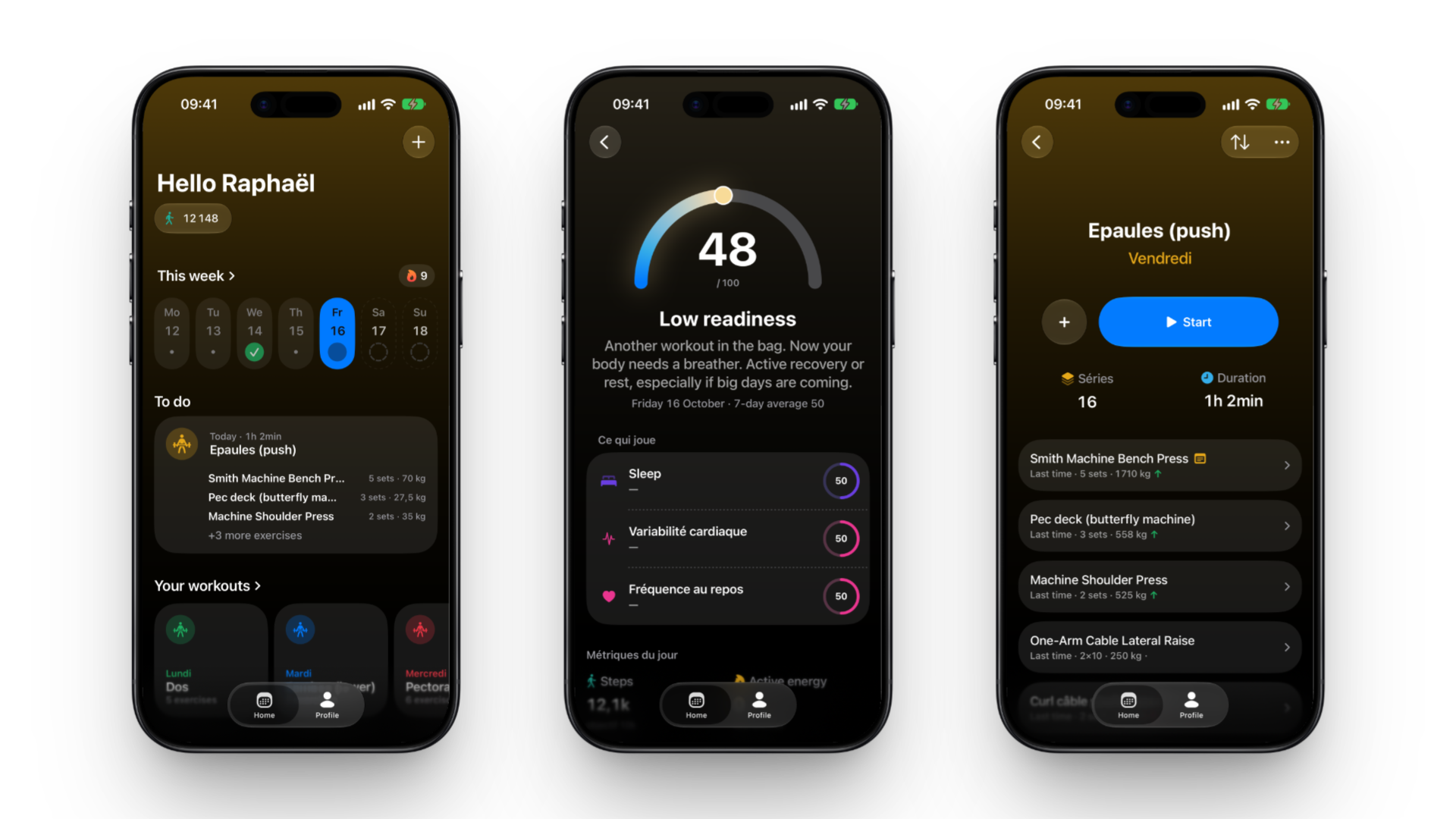
Fonte 2.0 on three iPhones: the home screen, the readiness score and a session tinted in its colour
v2.0: every session has its own colour, and last time stays in sightFonte · 2026
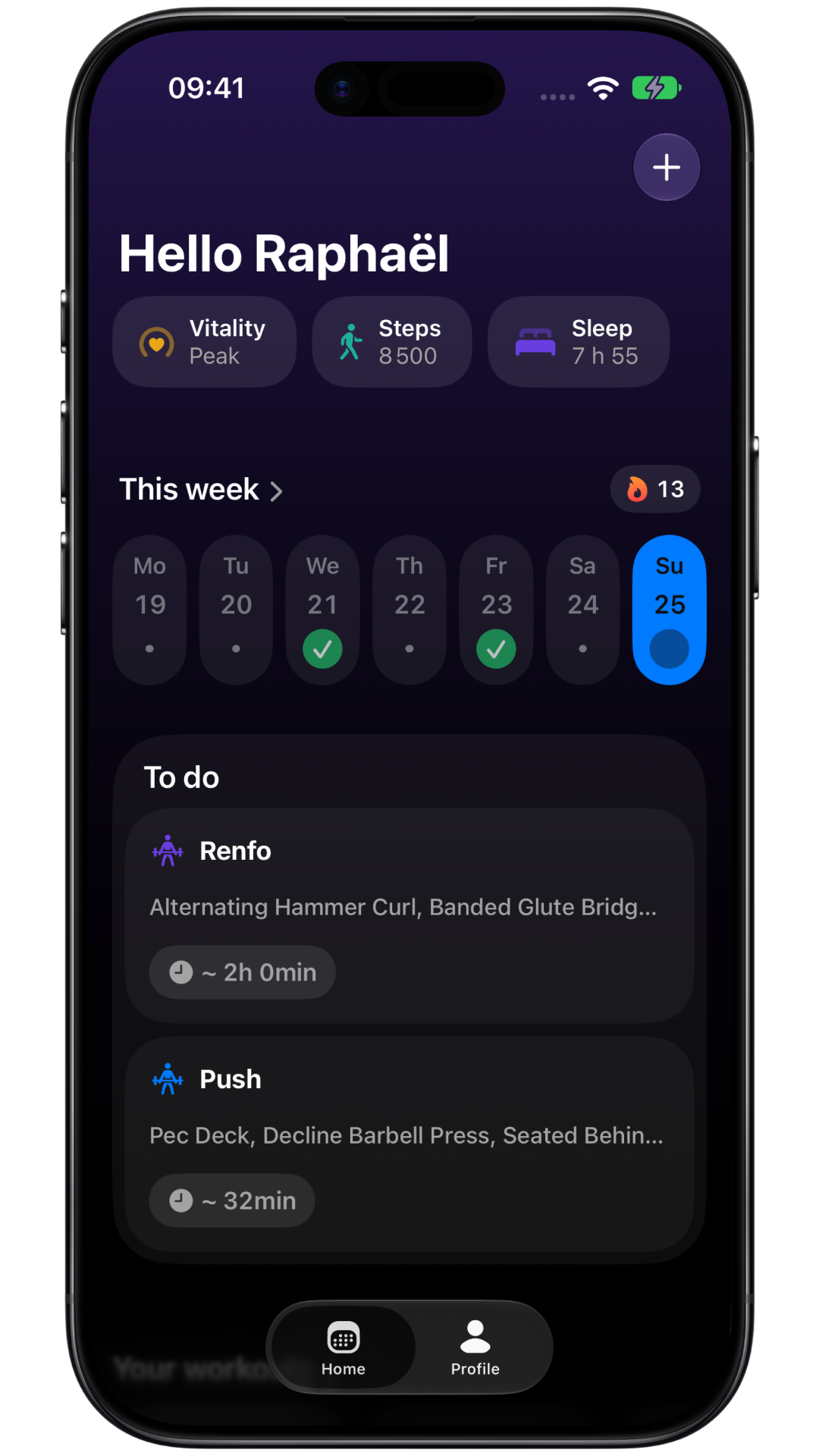
Fonte home screen: readiness, steps and sleep, the week with its streak, and the sessions still to do
Home: readiness, steps, sleep, the week and what is left to doFonte · 2026
A Pectoraux session ready to start, with last time under each exercise
A session ready to start, last time under every exerciseFonte · 2026
Logging a set: reps and weight with plus and minus buttons, then Complete set
Logging a set: reps, weight, two tapsFonte · 2026
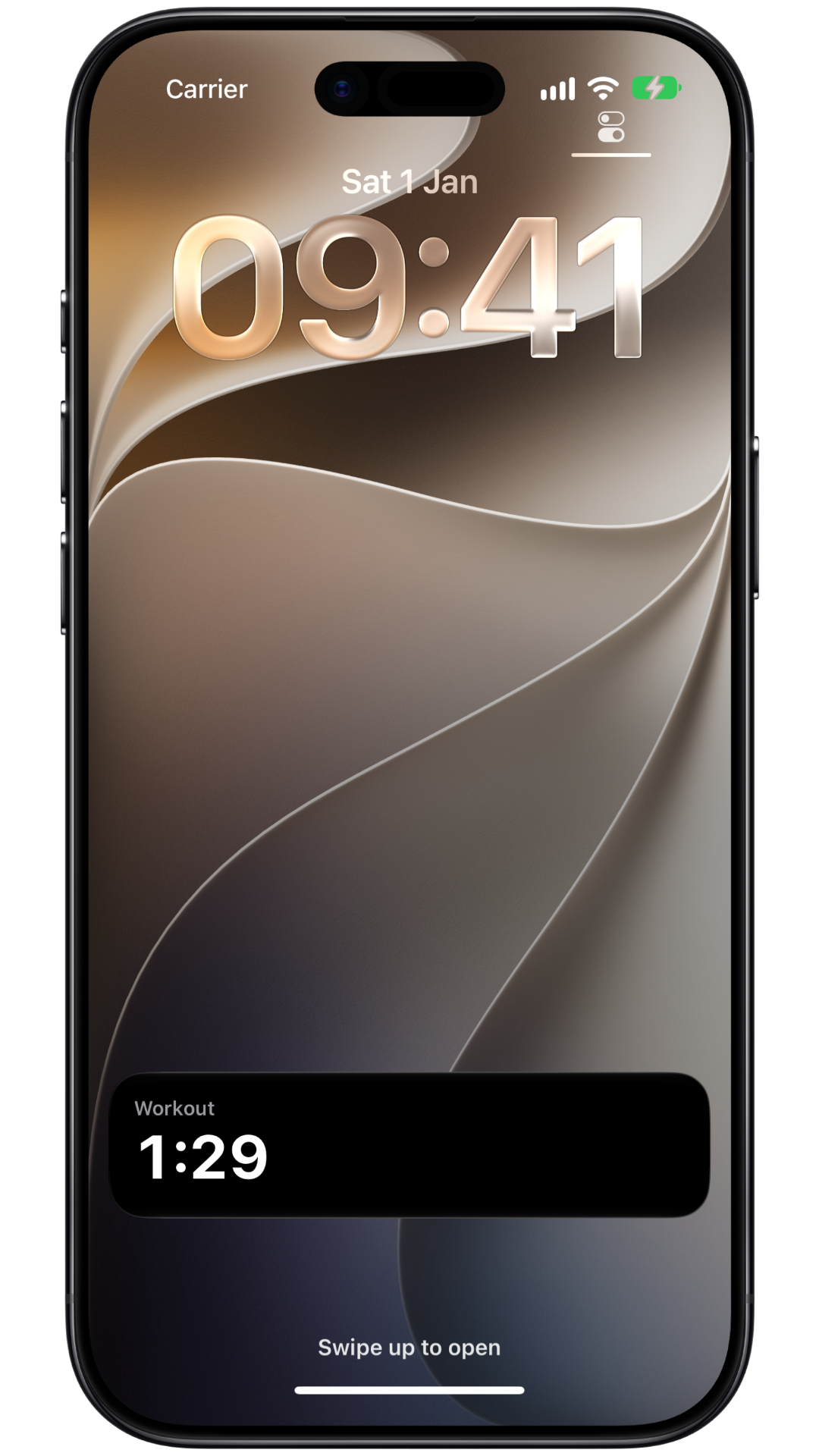
The Fonte rest timer on the iPhone lock screen
The rest timer stays on the lock screenFonte · 2026
Fonte home on iPhone Duo, expanded: the week and what is left to do on the left, every workout on the right
Open, the week stays on the left and every workout lines up on the rightFonte · iPhone Duo · Expanded · 2026
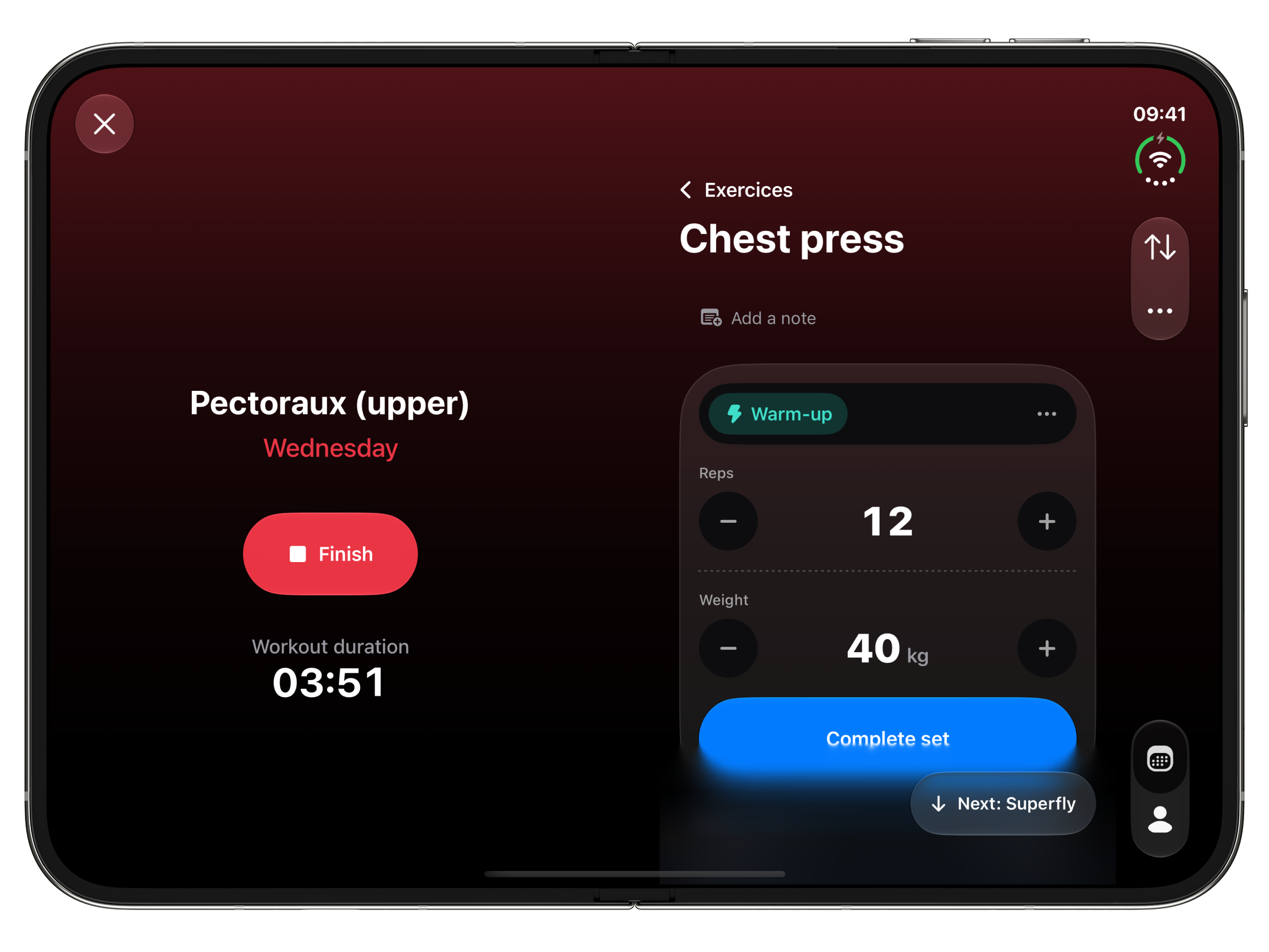
A session in progress on iPhone Duo, expanded: the timer and Finish on the left, the set being logged on the right
Open mid-session, the clock on one side and the set on the otherFonte · iPhone Duo · Expanded · 2026

Voyage Privé2023 – 2025

Cutting the cost of every component

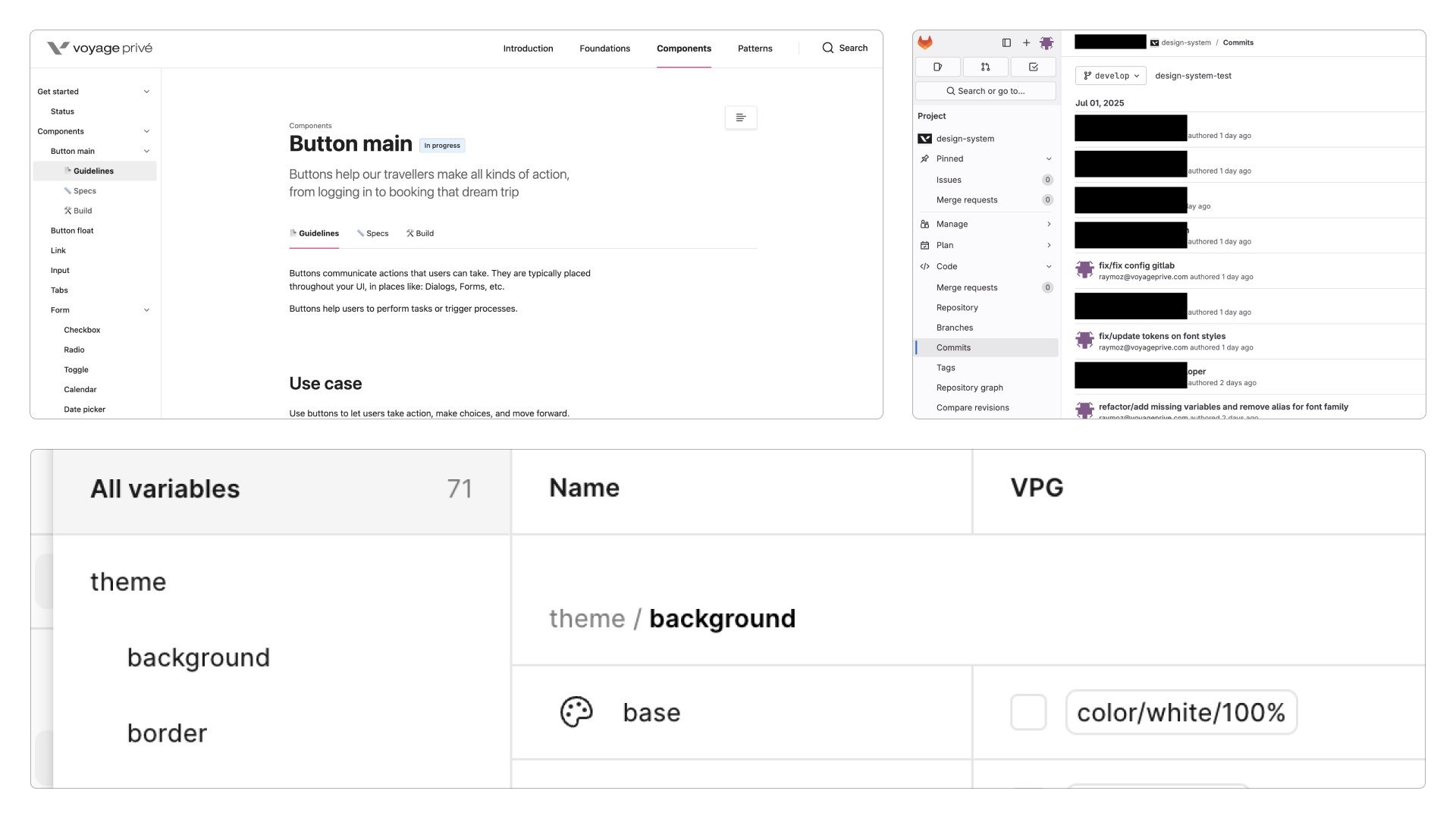
Improve workflow with Figma variablesVoyage Privé · 2024 – 2025
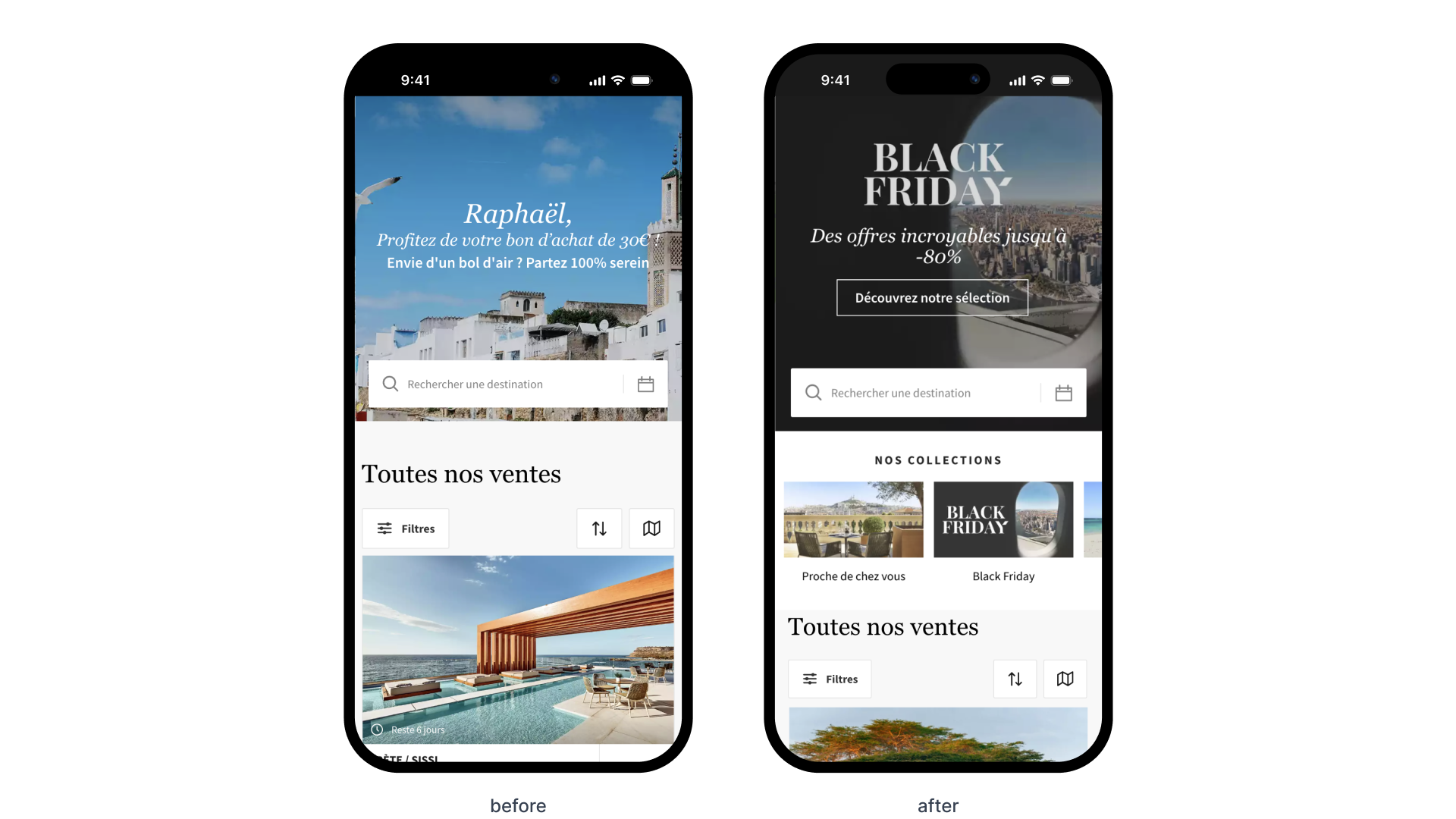
Collections: a way in for travellers with no destination yetVoyage Privé · 2024 Case study soon
Redesign communication channel pageVoyage Privé · 2025

MiniList2025 – now

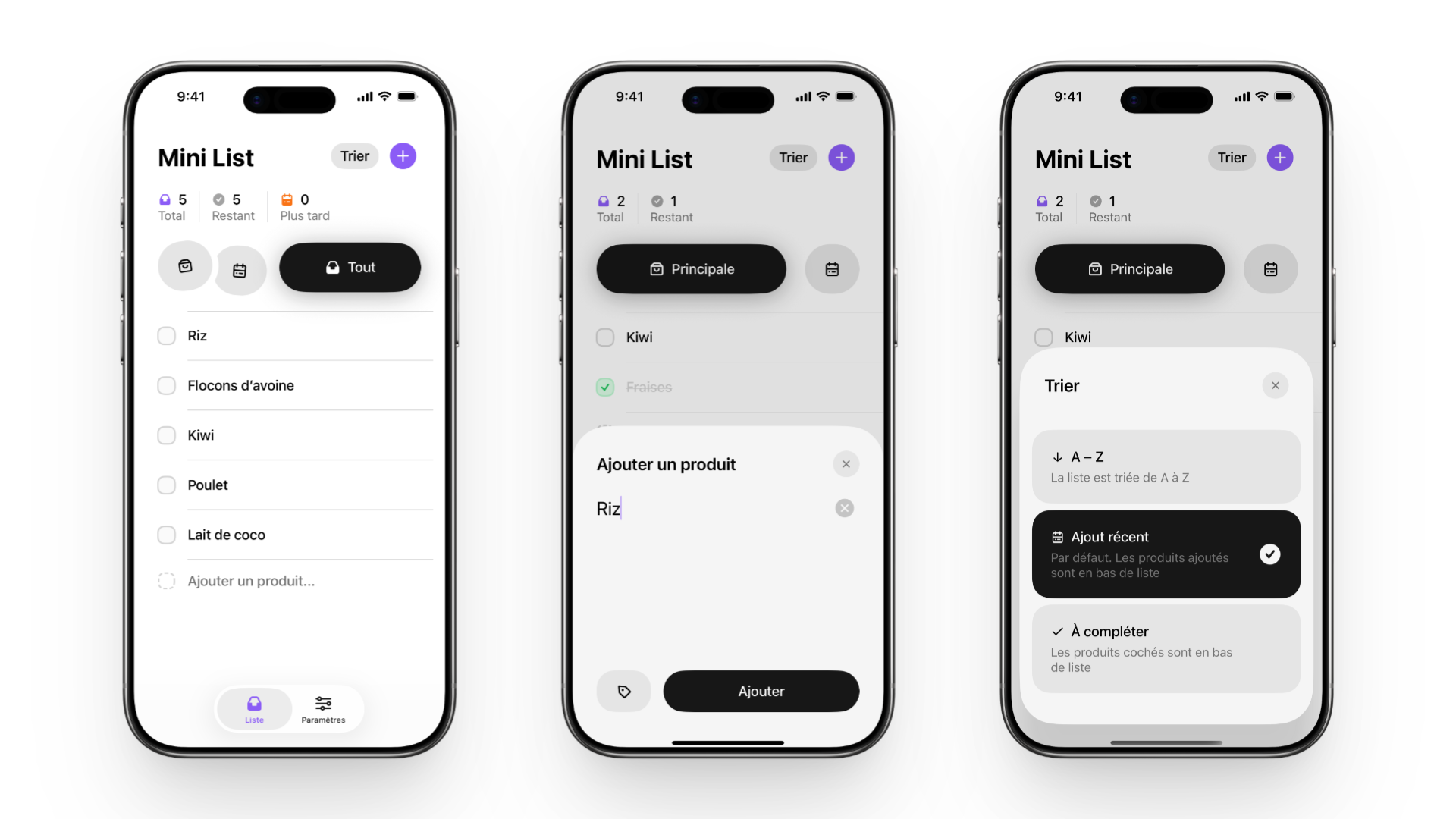
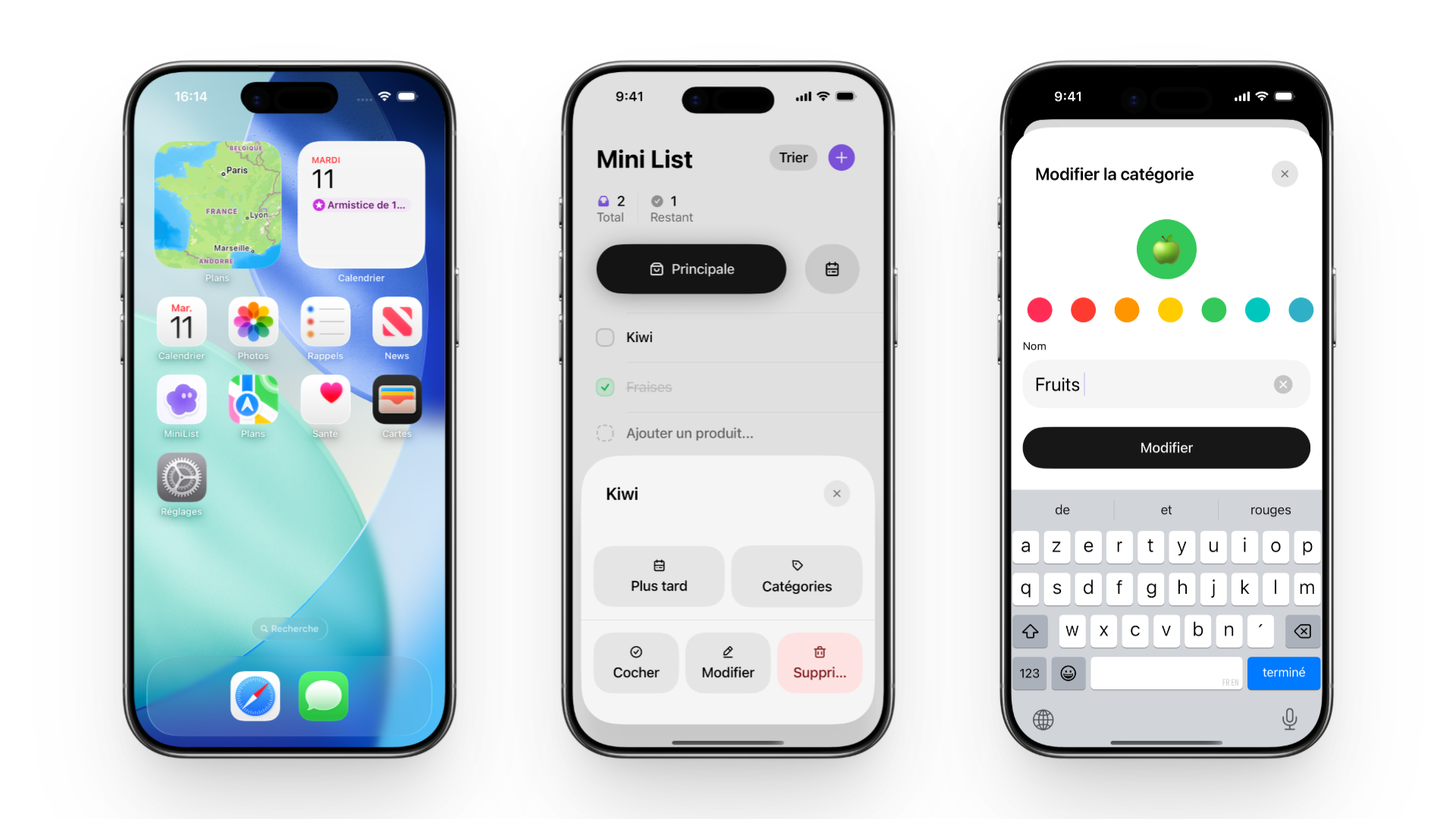
A minimal grocery-list app, shipped to TestFlight beta

Designed it, built it in SwiftUI, shipped it to beta aloneMiniList · 2025
My first app: every action on an item in one sheetMiniList · 2025
Adding a product without leaving the listMiniList · 2025

Vitrinemedia2021 – 2023

Digital signage for real estate: the marketing landing pages

Visibble Display: the offer up front, one demo to ask forVitrinemedia · 2022
© 2026 Raphaël AymozBuilt by myself.
Fonte 2.0 on three iPhones: the home screen, the readiness score and a session tinted in its colour

A gym log that stays out of the way

Fonte · Designer & developer · 2026 – now

Timeline
1.0 in 6–8 months, 2.0 in about 2 · on the side
Team
Solo: design, code and testing
Tags
SwiftUISwiftDataApple WatchiPhone Duo
Context
A workout gets logged between two sets, where every tap costs. I was paying a monthly subscription for a log that wasn’t built for that moment, so I built my own, for iPhone and Apple Watch.
What I did
Everything, alone and on the side: the product, the interface, the SwiftUI and SwiftData code, the landing page. I was also its only tester, at the gym every morning. Four versions shipped so far.
The tradeoff
No account, no suggested programme, no feed, no ads, no premium tier. A beginner without a plan gets nothing to follow, and with no server of mine there is no usage data to learn from. I’d make the same call.
Outcome
A set takes two taps and the rest timer starts on its own. 2.0 added a standalone Apple Watch app and a layout for iPhone Duo. Building native sharpened my eye for mobile interaction and made me think in reusable components.
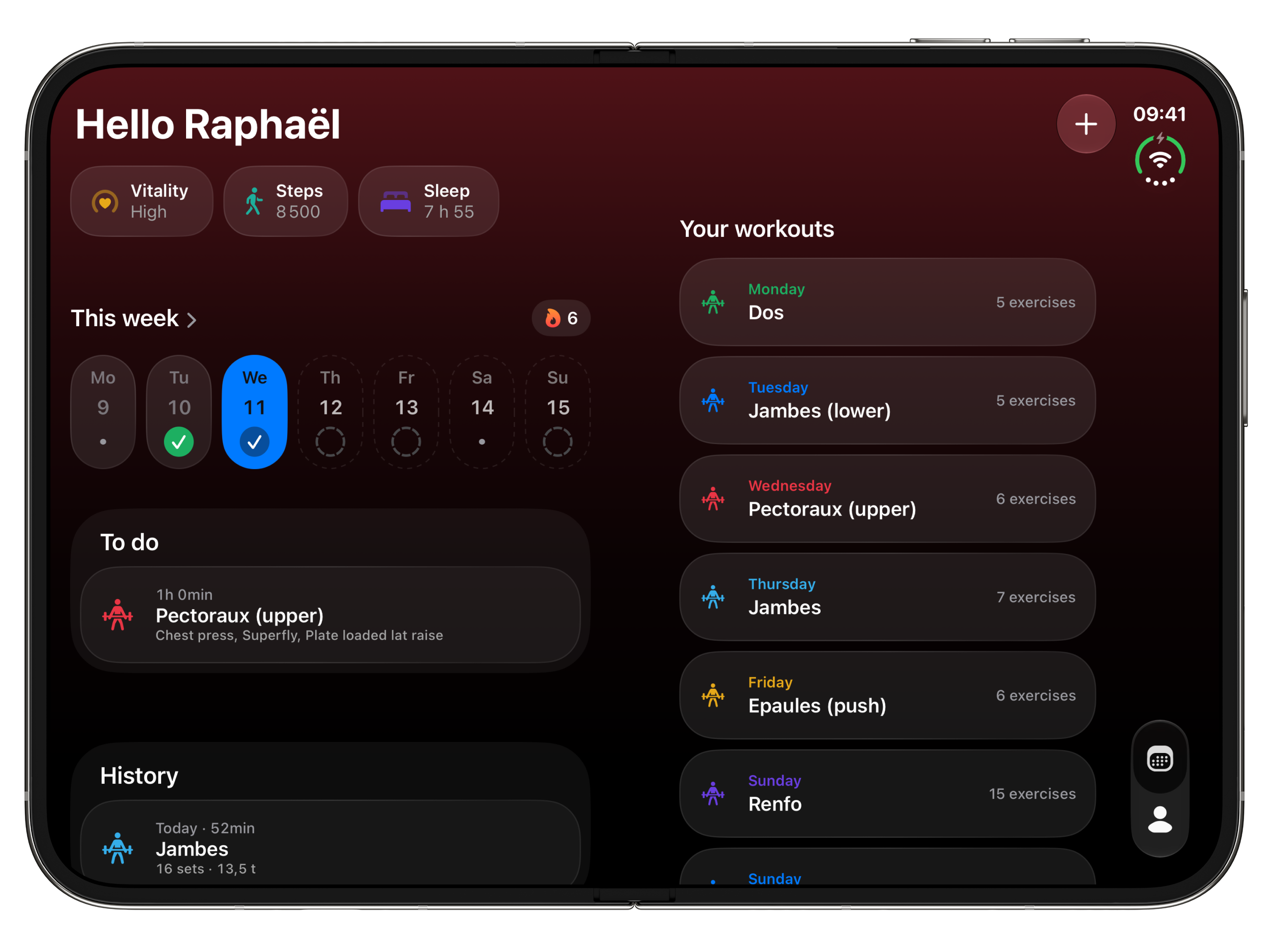
Fonte home on iPhone Duo, expanded: the week and what is left to do on the left, every workout on the right
Expanded, the week stays on the left and every workout lines up on the rightFonte · iPhone Duo · Expanded

Context

Logging a workout happens between two sets: out of breath, phone in one hand, sometimes a bar still loaded. Every tap a gym log asks for is paid at the worst moment. I train almost every day, and I was paying a monthly subscription for a log that wasn’t built for that moment. I wanted my own: made for the gym floor, with my interface and my flow, and nothing left to pay.

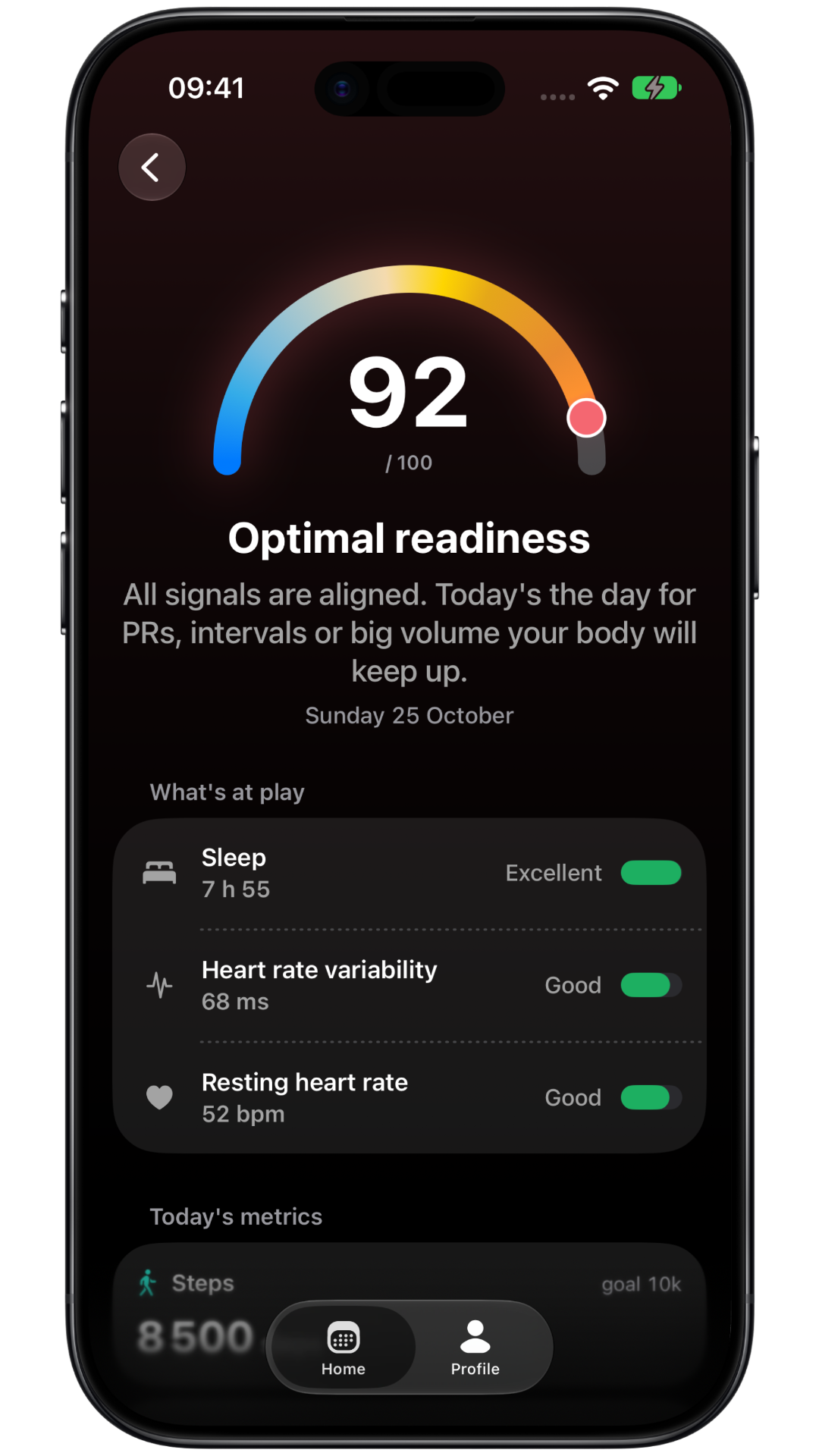
Fonte is the log I built instead, for iPhone and Apple Watch. A set takes two taps; the rest timer starts on its own and stays on the Lock Screen. Every morning, a readiness score out of 100, read from sleep, heart rate variability and resting heart rate in Apple Health, says whether today is a day to push.
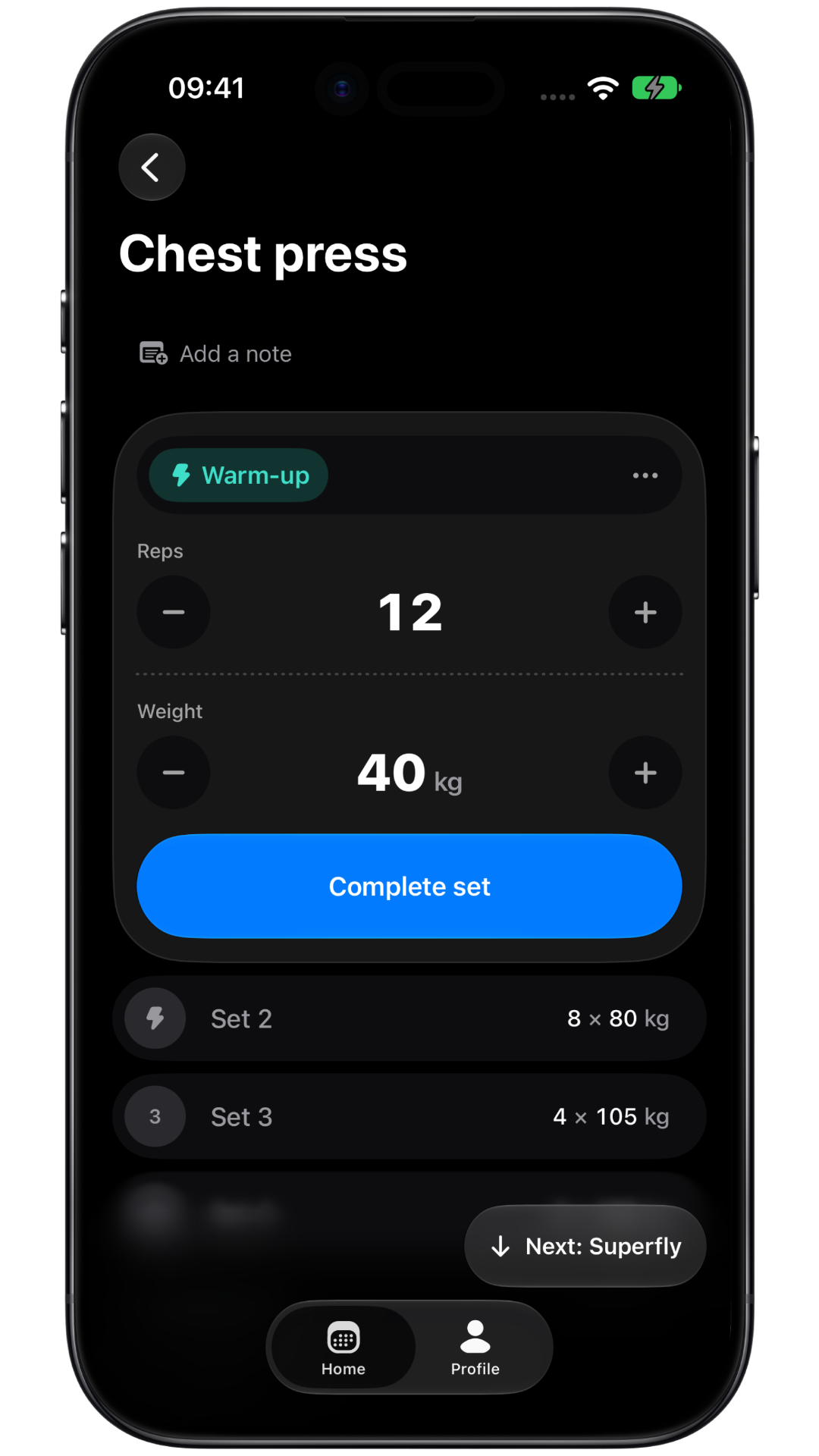
Logging a set: reps and weight with plus and minus buttons, then Complete set
A set in two taps: reps, weight, doneFonte · iPhone
The Fonte rest timer on the iPhone Lock Screen
The rest timer starts on its own and stays on the Lock ScreenFonte · iPhone
Optimal readiness, 92 out of 100: sleep, heart rate variability and resting heart rate all good
Readiness out of 100, read from Apple Health every morningFonte · iPhone

Scope

Everything, alone and on the side, self-taught: the product, the interface, the SwiftUI and SwiftData code for iPhone and Apple Watch, the landing page. I had learned Swift on Minilist, an earlier app of mine; Fonte was the bigger test. Nobody to hand off to, which also means nobody to argue a scope cut with.

I was also its only tester. Every morning at the gym I used it for real, and noted the bugs and the improvements my own habits asked for. 1.0 took six to eight months, 2.0 about two more.

Surface
An iPhone app, a standalone Apple Watch app, a Lock Screen timer, and a layout for iPhone Duo: expanded, the week on one side and every workout on the other.
Constraints
No server of mine. Workouts, weights and Health data stay on the device, with an optional backup to the user’s own iCloud. Free, no ads, no account, no in-app purchase.
Versions
Four shipped so far. 1.0 was French only. 1.1 added a 0–10 rating after each session and what it did to your records. 1.2 opened the week strip into a full month. 2.0 gave every session its own colour and kept last time in sight.
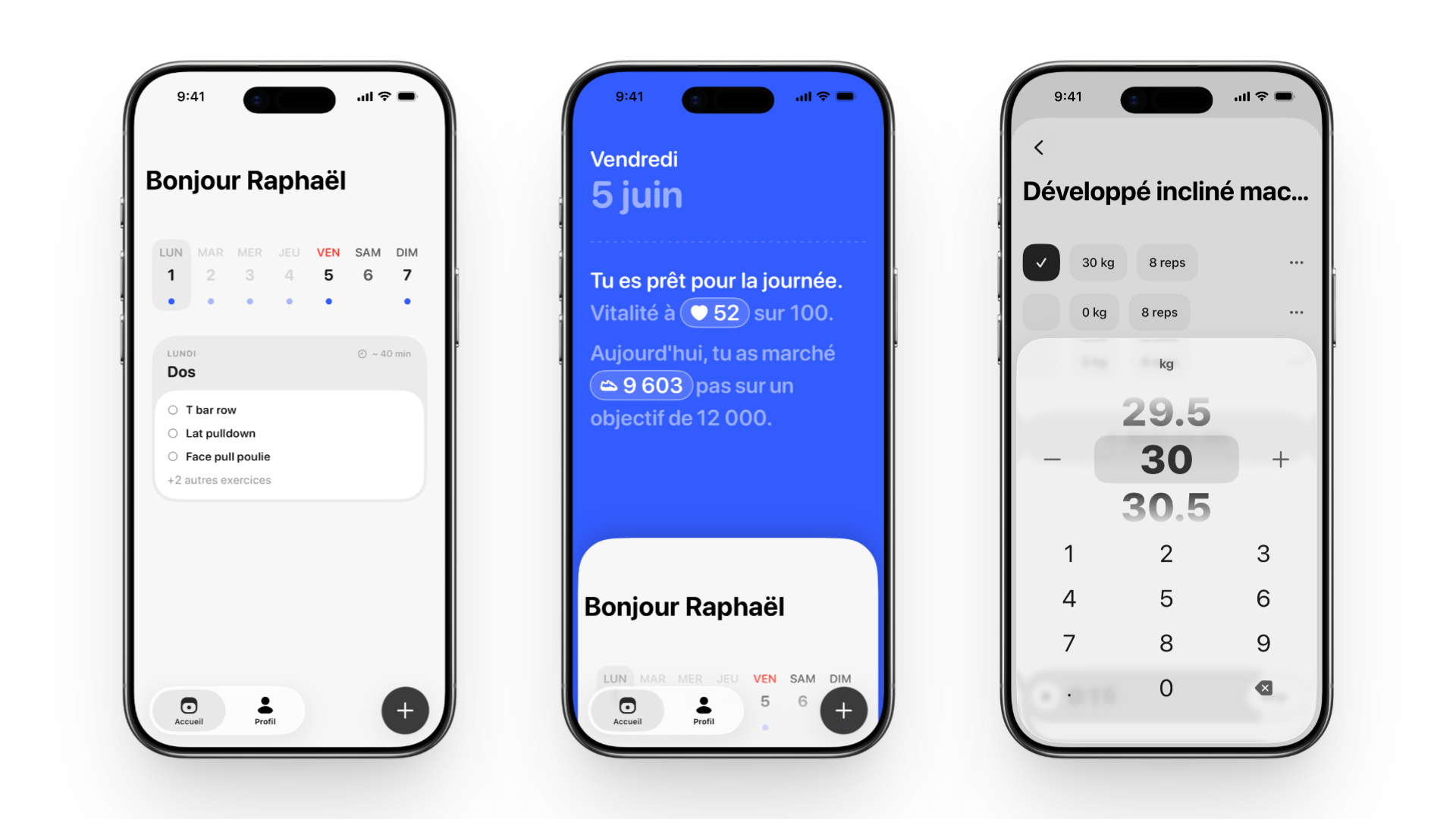
Fonte 1.0: the first version, in French, weights entered on a picker wheel
1.0: the flow 2.0 keptFonte 1.0

The tradeoff

Fonte assumes you already have a programme and know the basics. You enter your sessions once, then you log sets. So it has no account, no suggested programme, no social feed, no ads and no premium tier. I don’t see what a feed adds between two sets, and I’d rather keep it in the spirit of open source than run a pricing model.

The cost is plain: a beginner without a plan opens it and gets nothing to follow. And with no account and no server of mine, there is no usage data to learn from: backup goes through the user’s own iCloud, and what I know about how Fonte is used is what I do with it myself.

I’d make the same call today. Charging would mean running a subscription, the very thing I built Fonte to get away from, and I’m not comfortable asking people to pay for it yet.
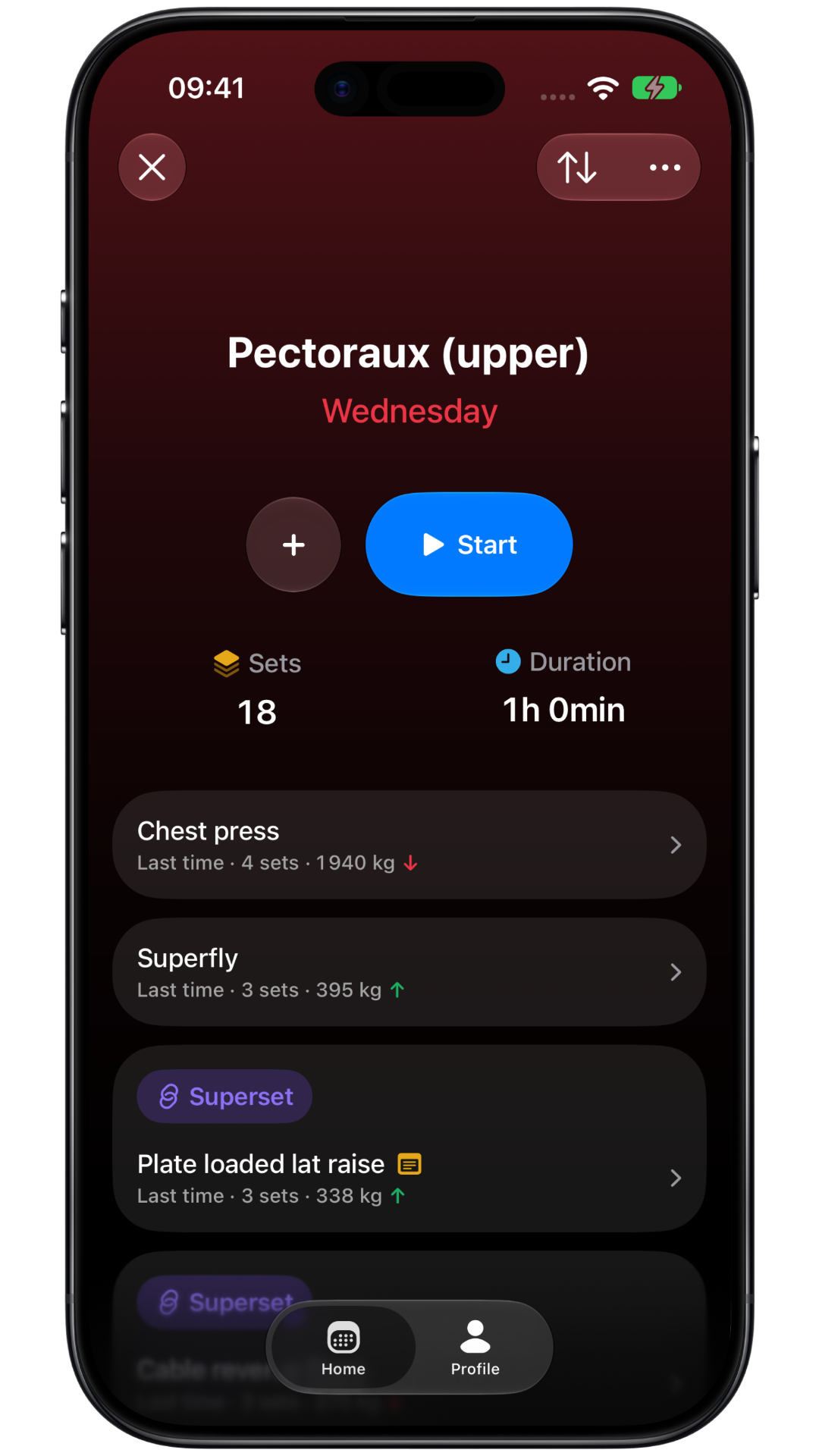
A Pectoraux session ready to start, with last time under each exercise
A session entered once, then only logged: last time under every exerciseFonte · iPhone

Outcome

The flow was right from 1.0; 2.0 changed the interface far more than the experience. It also brought two additions. A standalone Apple Watch app, the goal from the start: a session logged from the wrist, without the phone. And support for iPhone Duo, a screen that folds open, which meant designing for a new kind of device.

The hard part of the Watch was keeping it in sync with the iPhone: still Swift, but a lot of new concepts. I learned them from tutorials, forums and Claude. The readiness rules were drafted with Claude too; I chose which Health data the score reads and tuned its thresholds.

Coming from the web, building a native app sharpened my eye for mobile interaction and for the details of an interface, where nothing can be left approximate. It also made me think in structure: a project built from reusable components and views. I already worked that way in Figma; now I do it more every day, maybe too much.
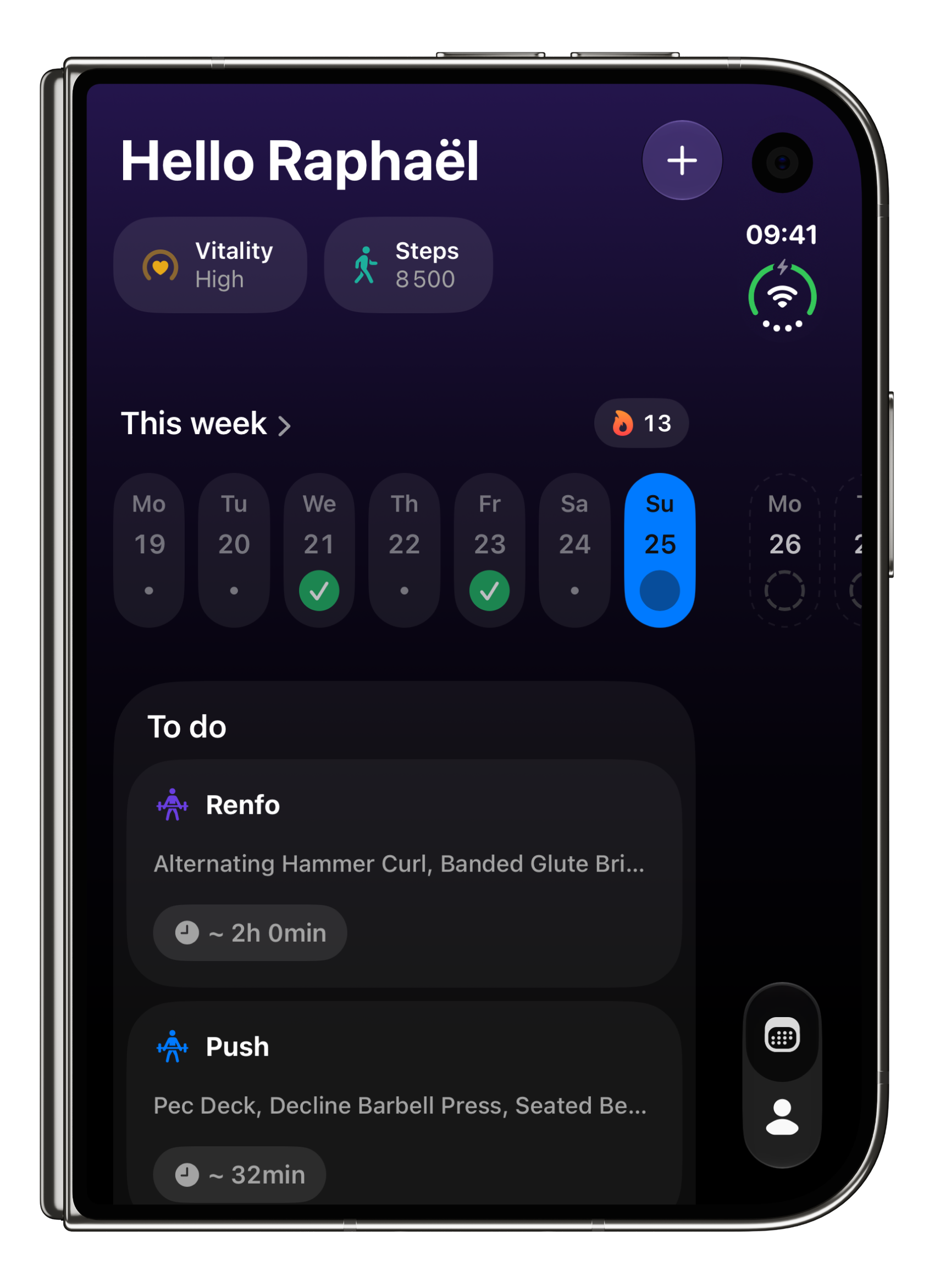
Fonte home screen on iPhone Duo, folded
Folded, the home screen keeps its layout and the tabs move to the sideFonte · iPhone Duo · Folded
Fonte home on iPhone Duo, expanded: the week and what is left to do on the left, every workout on the right
Expanded, the week stays on the left and every workout lines up on the rightFonte · iPhone Duo · Expanded
A session in progress on iPhone Duo, expanded: the timer and Finish on the left, the set being logged on the right
Mid-session: the clock on one side, the set on the otherFonte · iPhone Duo · Expanded
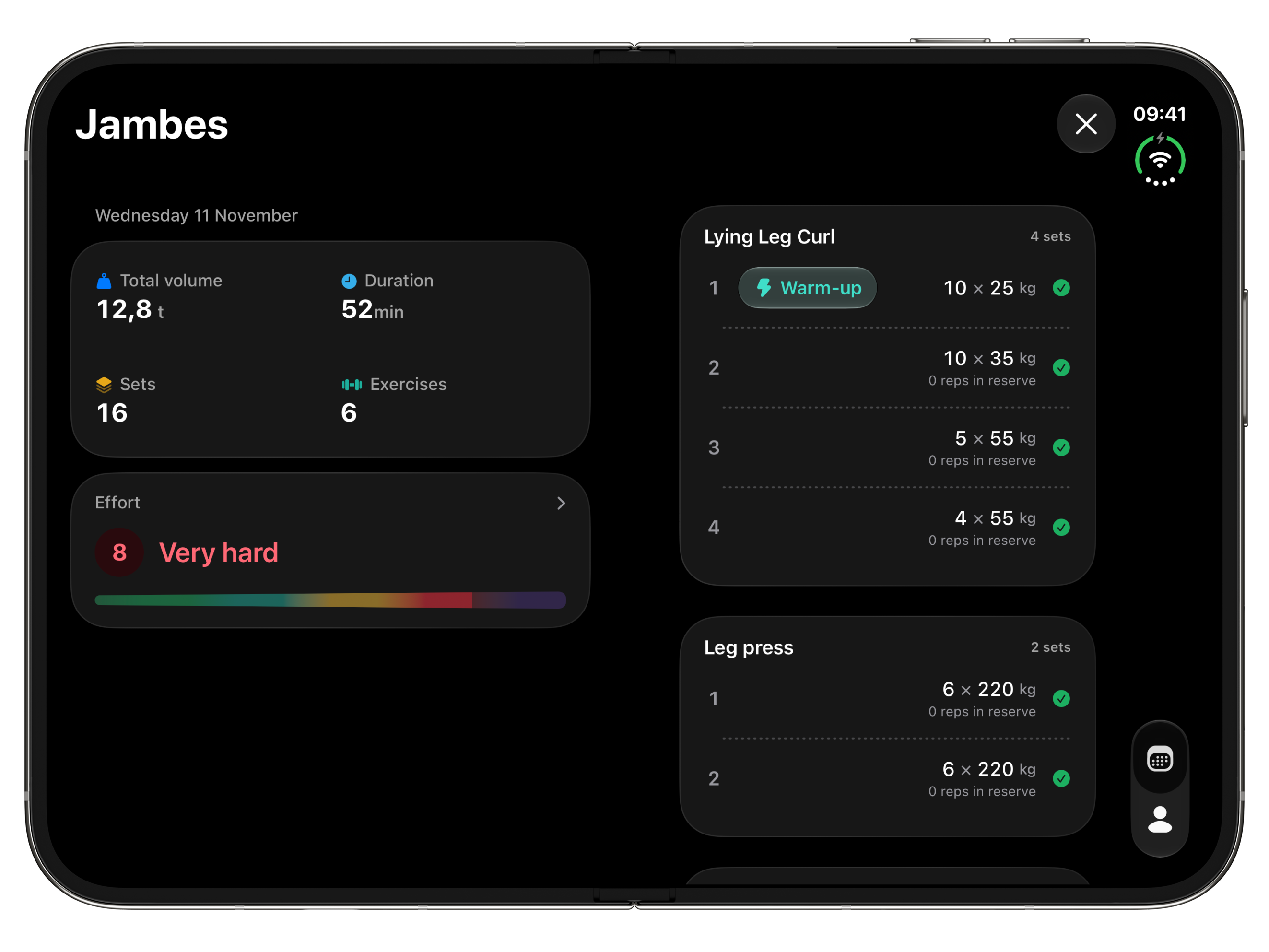
A finished leg session on iPhone Duo, expanded: volume, duration and effort on the left, every set on the right
After the session: the totals on the left, every set on the rightFonte · iPhone Duo · Expanded